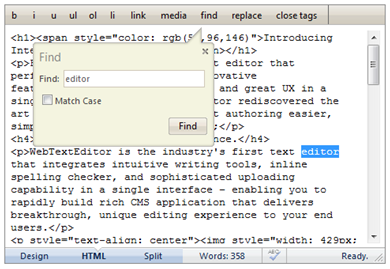
The toolbar commands included in Design view offers editing functionalities that are useful when previewing the content. However those commands do not share the same functionality in HTML view.
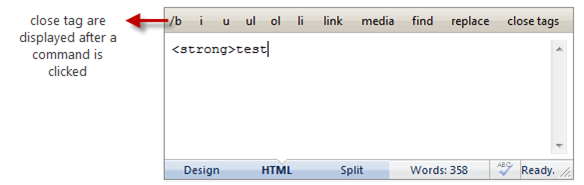
WebTextEditor implements html-related toolbar when viewing in HTML view. When clicked, the command will add the related html tag to editor. After a command is clicked, its text will change to its close tag.
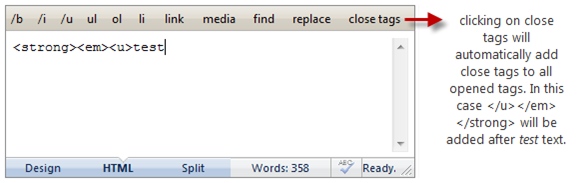
User can easily add some tags and click close tags command to add close tags for all previous opened tags.
There is no formatting applied to the content in HTML view, thus making it difficult to find a certain text. WebTextEditor provides Find and Replace functionality in HTML toolbar for easy text searching.